
Capturing Everything—A Shortcut to Mental Clarity

A shortcut to mental clarity
"This consistent, unproductive preoccupation with all the things we have to do is the single largest consumer of time and energy." (David Allen, Getting Things Done)
I read Getting Things Done by David Allen. There was a lot of it I found unhelpful. But, as with most things in life, there is good to be found in there. The most important idea I gleaned from the book is encapsulated in the above quote. And in the time since I first read Getting Things Done, this has been the single biggest improvement in my productivity: quickly capturing thoughts so they are out of my head.
I've done this a variety of ways in the past, and most recently used an iOS shortcut mapped to the action button on my phone. When I held that down, a small text box would pop up and allow me to quickly enter an item that would then head to the inbox in OmniFocus, the task manager I (still) use.
I ran into a problem, though.
As Imperfect Practice developed, I found that I was capturing both tasks and ideas. My inbox was growing to the point where I found it difficult to manage. It was a messy mix of actual tasks I needed to address and ideas that just sat there.
It wasn't the best solution.
I decided it was time to go back to the drawing board.
Enter, again, iOS shortcuts. In the tech world, people are very familiar with the strengths and limitations (there are many) of iOS shortcuts. I think most people aren't aware of them, however. The easiest way I can describe them is this: Shortcuts are a way to link together actions from one or many applications in ways that those apps don't do on their own. It can be a powerful tool to make your device do things it otherwise couldn't do.
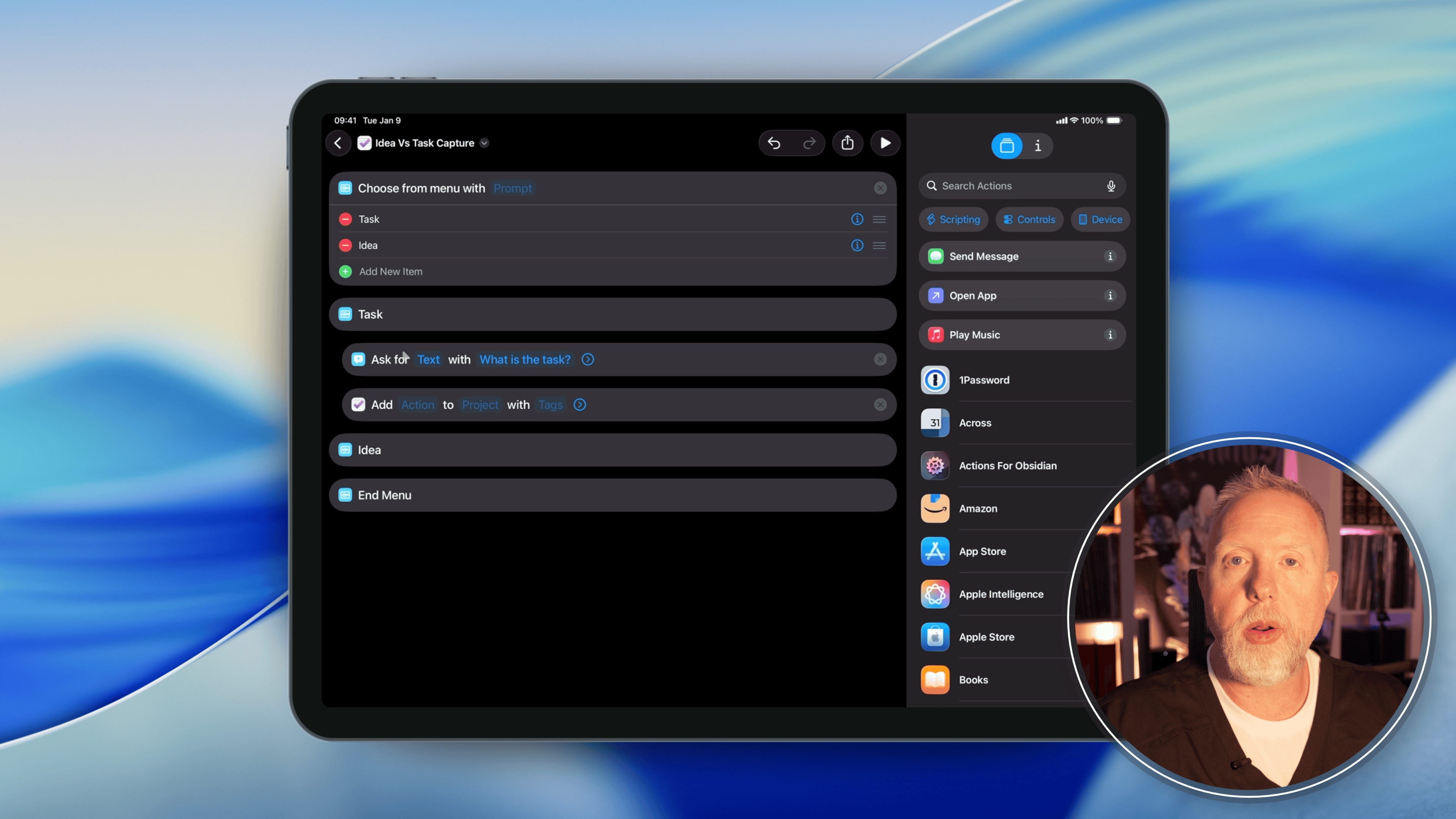
What I needed was a way to quickly get either a task or an idea out of my head and to the correct place. And while iOS shortcuts can be extremely complex, often the best solution is the simplest. That was what I set out to build.
A video will tell the story better, so here is the process. It was quite simple.
In the end, I now have a reliable way to get tasks or ideas to the correct location. All I have to do is hold down the action button, and the dialog opens, asks if it is a task or an idea, and then it either goes to my specific list in OmniFocus (task) or the inbox of Trello (idea).
I've been using this for a few weeks now, and it has been exactly what I wanted. When a thought I want to capture hits, I can get it out of my head and into a secure place in a matter of seconds. This has taken a significant cognitive load off my mind.
Have you tried any simple automation tasks like this? If not, I encourage you to look at areas of small friction in your life and then find a way to make your tools actually work for you.